D3 Key Function, Entry, Exit, and Update Explained
Basic intro to D3 entry exit update
D3 is an extremely powerful library. With its power comes a learning curve. I found the entry, exit, and update functions to be difficult to understand at first. I hope this post will help both of us understand these concepts a bit better.
The Code Example
I will be referencing this code example throughout the post. The code is available here.
The code is a simple scatter plot that updates every second with a new random point. The code is written in typescript and uses vite to build the project.
Below is the interesting portion of the code with a gif of the output.
import './style.css'
import * as d3 from 'd3';

const d3_height_width = 200;
const max_point_value = 100;
const d3_target = document.querySelector<HTMLDivElement>('#d3-target')!
const xScale = d3.scaleLinear().domain([0, max_point_value]).range([ 0, d3_height_width ]);
const yScale = d3.scaleLinear().domain([0, max_point_value]).range([ d3_height_width, 0 ]);
const pointsGroup = d3.select(d3_target).append('svg').attr('width', `${d3_height_width}`).attr('height', `${d3_height_width}`).append('g');
const NUMBER_OF_POINTS = 4;
const points:{x:number, y:number, color:string}[] = [];

const randomColor = () => Math.floor(Math.random()*16777215).toString(16).padStart(6, '0');
setTimeout(() =>{
    setInterval(() => {

        //TODO comment back in to move points around
        //update the points position so the move around
        // points.forEach((item) => {
        //     item.x = Math.floor(Math.random() * 100)
        //     item.y = Math.floor(Math.random() * 100)
        // });

        //add a new point at random position
        points.push({x: Math.floor(Math.random() * 100), y: Math.floor(Math.random() * 100), color: randomColor()});

        //remove the first point if we have more than NUMBER_OF_POINTS, rolling the array
        if (points.length > NUMBER_OF_POINTS) {
            points.shift();
        }

        pointsGroup
            .selectAll<SVGElement, { x: number, y: number, color: string }>('circle')
            // .data(points)
            .data(points, (d) => JSON.stringify(d))
            .join(
                (enter) => {

                    const enterItem = enter.append("circle");
                    enterItem.style("stroke", `red`)
                        .style("stroke-width", 3)
                        .style("stroke-dasharray", "2,2")
                        .style("fill", (d) => `#${d.color}`)
                        .attr("r", 0)
                        .attr("cx", (d) => xScale(d.x))
                        .attr("cy", (d) => yScale(d.y))
                        .transition()
                        .duration(500)
                        .attr("r", 5.5);

                    return enterItem;
                },
                (update) => {
                    return update.style("stroke", (d) => `#${d.color}`)
                        .style("stroke-width", 3)
                        .style("stroke-dasharray", "")
                        .transition()
                        .duration(Math.floor(Math.random() * 800))
                        .ease(d3.easeSin)
                        .attr("cx", (d) => xScale(d.x))
                        .attr("cy", (d) => yScale(d.y));
                },
                (exit) => {
                    return exit.style("stroke", `navy`)
                        .style("stroke-dasharray", "2,2")
                        .transition()
                        .duration(1000)
                        .attr("r", 0)
                        .remove();
                }
            )
    }, 1000);
}, 2000);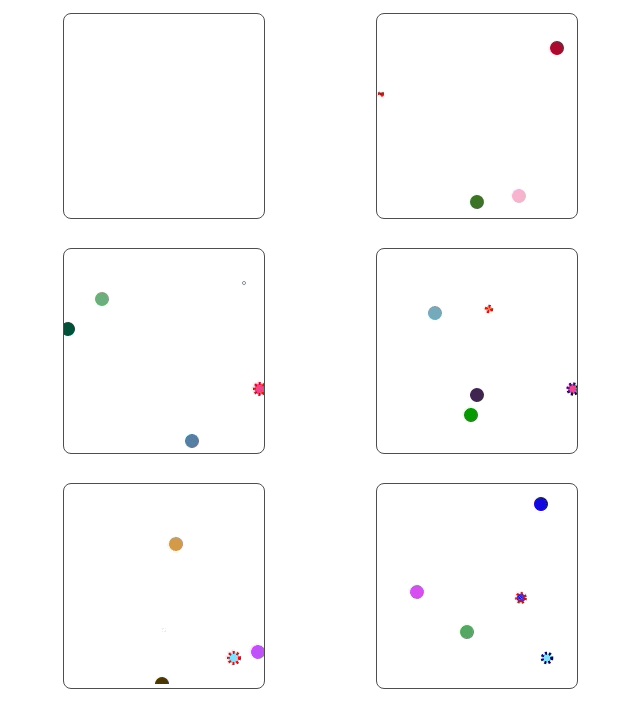
Scatter Plot Example
What Is The Program Doing?
The program creates an array called points. The length of points is limited to NUMBER_OF_POINTS (4). Data is pushed to the back of points and removed from the front when the length exceeds the max. Each entry in points is an object with an x, y, and color property. The x and y properties are used to position the circle on the svg. The color property is used to color the circle. As the color should be unique it is used as the “key” we will explain later.
When a circle is added to the svg it is given a stroke of red and a dash array. This is to show the circle is being added. When the circle is updated it is given a stroke of the color property. When the circle is removed it is given a stroke of navy and a dash array. This is to show the circle is being removed. While a bit to take in, this should help illustrate the life cycle of each circle as it transitions through the “enter”, “update”, and “exit” states.
Any circle with a red dashed stroke is being added. Any circle with a navy dashed stroke is being removed. Anything else is being updated.
The Data Function
//    data       key function
.data(points, (d) => JSON.stringify(d))
In D3 we have a root svg element. We create a set of existing element (in this case circles) and then we bind data to those elements. The data function is used to bind data to the existing elements. The data function takes an array of data and returns a new array of elements. The new array of elements is the same length as the array of data. The new array of elements is created by matching the data to the existing elements.
By default, D3 takes the result of the selectAll call and matches the data to the elements in the order they appear in the DOM. This is not always the desired behavior. We can use the key function to specify how the data should be matched to the elements. The key function. The key function is optional and will be discussed later in this post.
The Entry Function
(enter) => {
    const enterItem = enter.append("circle");
    enterItem.style("stroke", `red`)
        .style("stroke-width", 3)
        .style("stroke-dasharray", "2,2")
        .style("fill", (d) => `#${d.color}`)
        .attr("r", 0)
        .attr("cx", (d) => xScale(d.x))
        .attr("cy", (d) => yScale(d.y))
        .transition()
        .duration(500)
        .attr("r", 5.5);

    return enterItem;
}
When D3 determines that the data point does not correspond to a DOM node, based on order, or the key function it will call the entry method. The entry method must return a reference to the new DOM node created. In this case the append method call creates the new DOM node.
The Update Function
(update) => {
    return update.style("stroke", (d) => `#${d.color}`)
        .style("stroke-width", 3)
        .style("stroke-dasharray", "")
        .transition()
        .duration(Math.floor(Math.random() * 800))
        .ease(d3.easeSin)
        .attr("cx", (d) => xScale(d.x))
        .attr("cy", (d) => yScale(d.y));
}
When D3 determines that the data point does correspond to a DOM node, based on order, or the key function it will call the update method. The update method must return a reference to the DOM node updated. In this update method we set the stroke color to the color property of the data point. We then transition the circle to the new position. The transition is random in duration and uses the easeSin easing function.
The Exit Function
(exit) => {
    return exit.style("stroke", `navy`)
        .style("stroke-dasharray", "2,2")
        .transition()
        .duration(1000)
        .attr("r", 0)
        .remove();
}
When D3 determines that the data point does not correspond to a DOM node, based on order, or the key function it will call the exit method. In this exit method we set the stroke color to navy and add a dash array. We then transition the circle to a radius of 0 and then remove it from the DOM.
The Key Function
By default, D3 takes the result of the selectAll call and matches the data to the elements in the order they appear in the DOM. This is not always the desired behavior. We can use the key function to specify how the data should be matched to the elements. The key function returns an identifier that D3 will use to compare points. If the identifier is the same, D3 will assume the data point is the same and call the update method. If the identifier is different, D3 will assume the data point is different and will call the entry method. The exit method will be called if the key value no longer matches a node in the data array.
Summary
I hope this post has helped you understand the enter, update, and exit methods in D3.